
Why cross-browser testing surfaces hidden issues
Your app renders differently in Chrome, Firefox, and Safari. Most cross-browser testing tools are built on brittle scripts that break every time your UI changes, slowing your release cycle.
QA Wolf helps you maintain your team's velocity by mapping, automating, and running cross-browser testing in a single platform.
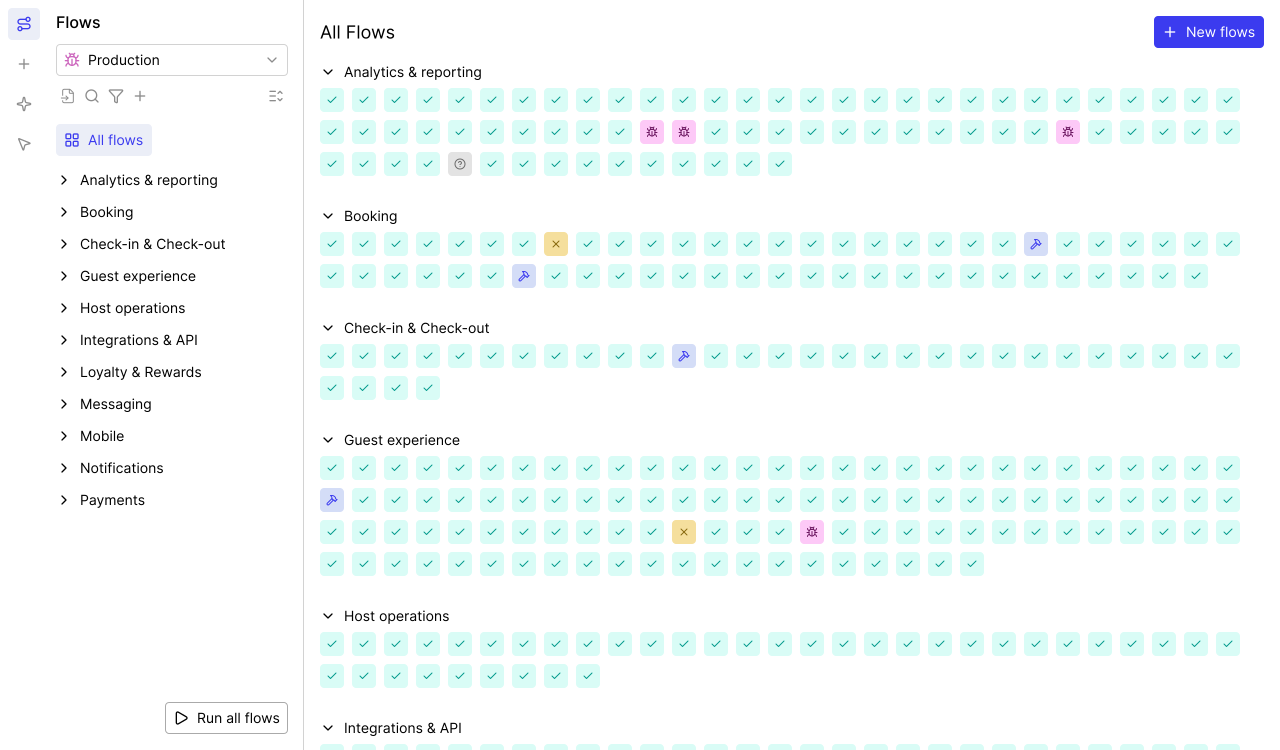
AI Mapping explores your entire app on its own — planning its approach, navigating every page and flow, and mapping 200+ test cases in minutes with zero human intervention.

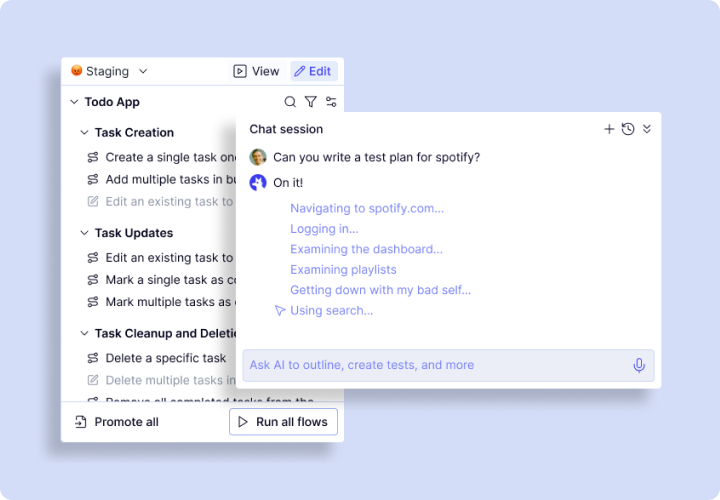
Map: The cross-browser testing tool that maps 200+ test cases in minutes
Cross-browser testing starts with knowing what to test. Most teams miss user flows or edge cases.
- Autonomous exploration: Crawls your app to identify every user journey.
- Complete coverage maps: Produces a full inventory of testable workflows.
- 200+ test cases in minutes: Gives a clear picture of your cross-browser testing needs.
- Continuous updates: Re-maps automatically so cross-browser testing stays current.
- Business logic integration: Chat with the AI to explain your app and define assertions.
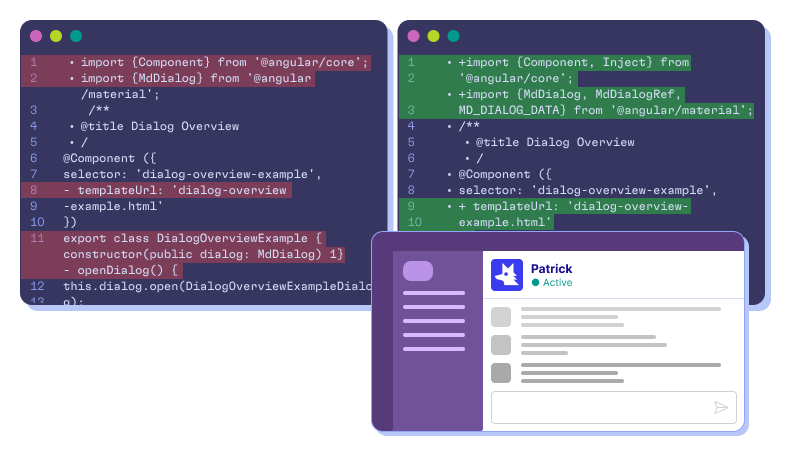
Automate: Why the best cross-browser testing tools start with real code
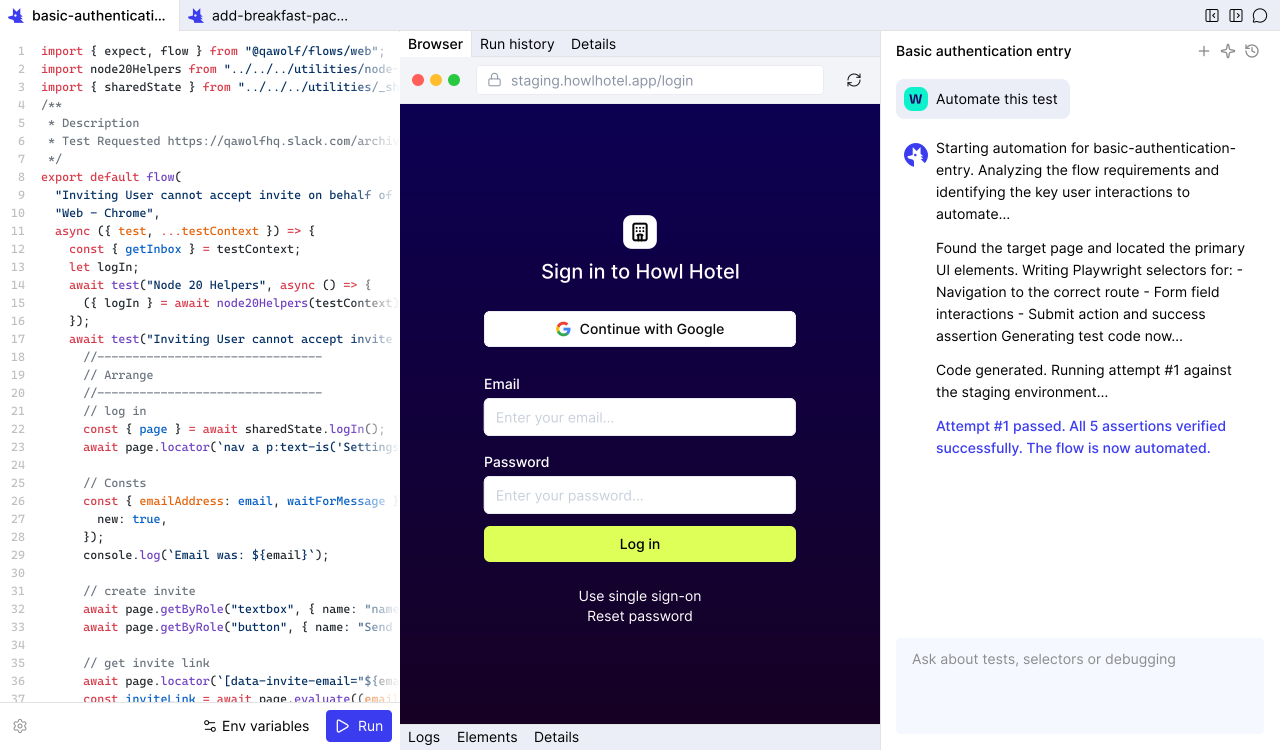
Most cross-browser testing tools rely on record-and-replay or computer-use agents that can't handle complex workflows. QA Wolf writes actual code.
- Real code: Writes Playwright code for web and Appium code for mobile (coming soon).
- 12x faster than computer-use: Computer-use agents take up time interpreting pixels.
- Complex flow support: Handles canvas interactions, drag-and-drop, email/SMS, multi-user, and MCP.
- Open-source code in GitHub: Every test is yours. No vendor lock-in.
- Conversational automation: Chat to refine steps, add assertions, or configure test data.
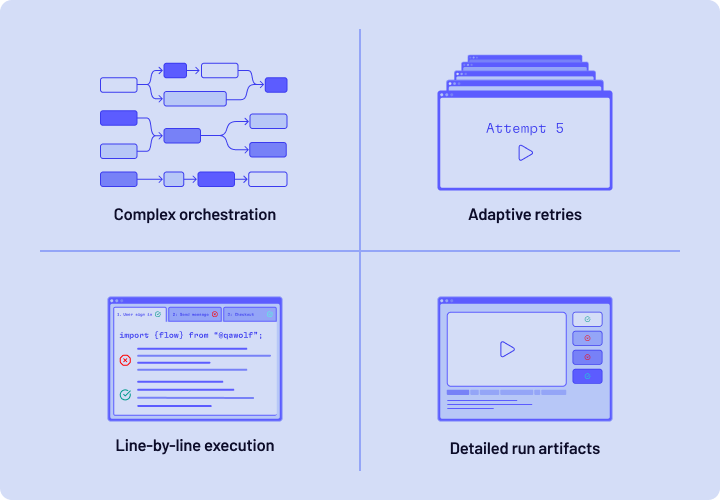
Run: Cross-browser testing software that runs at full speed
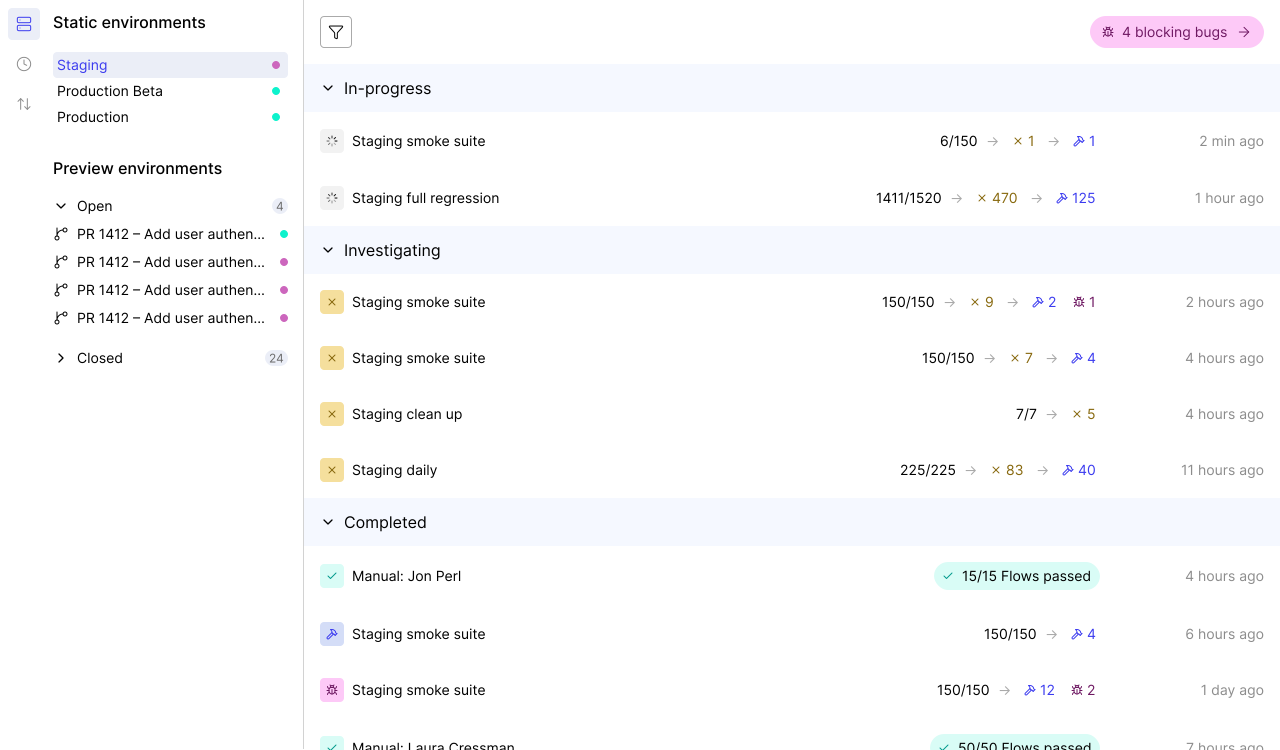
Most cross-platform browser testing setups force you to run tests sequentially or wait for infrastructure to free up. QA Wolf runs everything 100% in parallel.
- 100% parallel execution: Tests run simultaneously across Chrome, Firefox, WebKit.
- Pre-warmed containers: Pre-warmed containers eliminate cold-start delays.
- Isolated execution: Each run gets its own container to reduce flakes.
- Run Rules: DAG-based orchestration lets tests share run artifacts and coordinate multi-user workflows.
- Full debugging artifacts: Playwright traces, video replays, and network logs.
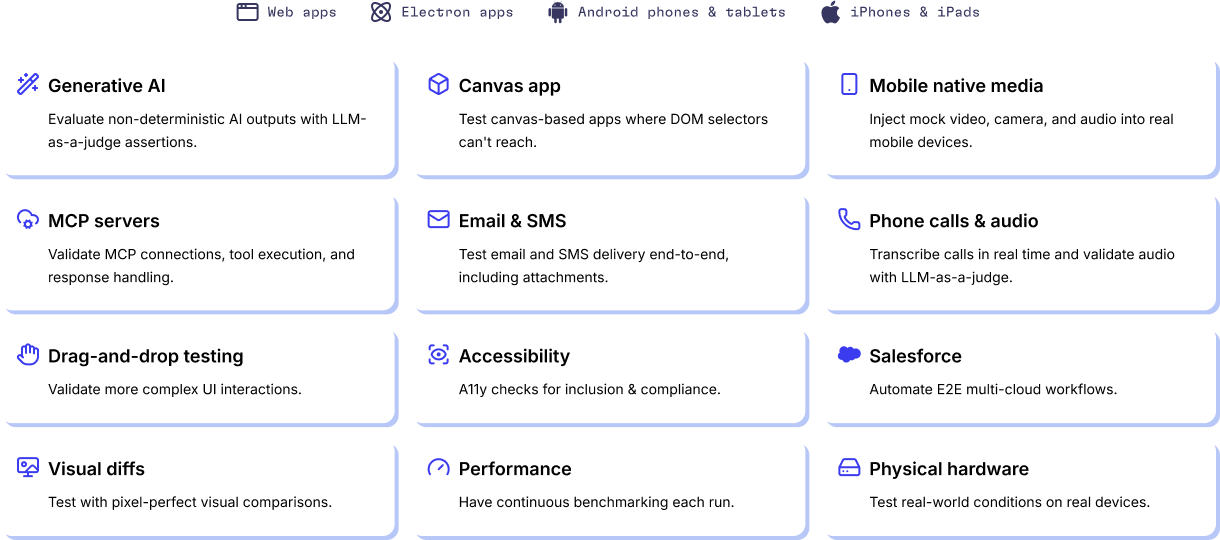
The only cross-browser testing tools built for complex apps
Most cross-browser testing tools break down the moment your app does something nonstandard. QA Wolf handles the workflows other tools can't.
- Web and Electron: Full cross-browser testing across desktop and Electron apps.
- iOS on real devices: Real iPhones and iPads, not simulators.
- Android on GPU emulators: Android testing through GPU-powered emulation.
- APIs and integrations: Database seeding, third-party API calls, and webhook verifications.
- Salesforce and enterprise platforms: Test complex enterprise UIs.
- Email and SMS verification: Multi-factor auth, email triggers, and SMS codes.
- Canvas apps and GenAI: Test visual rendering, drag-and-drop, and GenAI outputs.
- Feature flags and A/B variants: Test every variant and flag combo.
Manage 13x more cross-browser testing with QA Wolf
Engineers using QA Wolf manage 13x more tests than teams running cross-browser testing with legacy tools.
- More edge cases.
- More multi-user scenarios.
- More releases.
An AI Engine designed from the ground up for QA
You’ll get the results you’re after — we guarantee it.






Frequently Asked Questions
Cross-browser testing is the process of verifying that your web application works correctly across different browsers — Chrome, Firefox, Safari (WebKit), and Edge. Browsers interpret HTML, CSS, and JavaScript differently, which means a feature that works in Chrome can break in Firefox or render incorrectly in Safari. Cross-browser testing catches these inconsistencies before they reach your users. Automated cross-browser testing tools like QA Wolf run real Playwright code across all target browsers simultaneously, replacing manual spot-checks with comprehensive, repeatable test suites.
To do cross-browser testing, start by identifying the browsers your users actually use — analytics data tells you which browsers matter. Then build a test plan that covers your critical user journeys across those browsers. You can do cross-browser testing manually by opening your app in each browser and walking through flows, but this approach doesn't scale. Cross-browser testing online platforms and automation frameworks like Playwright let you write tests once and run them across Chrome, Firefox, and WebKit. QA Wolf takes this further by using AI to map your app's user journeys and converts it into a cross-browser testing suite.
The most reliable way to automate cross-browser testing is with code-based automation frameworks. Playwright supports Chrome, Firefox, and WebKit natively, making it the strongest foundation for cross-browser testing automation. QA Wolf's Automation AI writes real Playwright code from natural-language descriptions of your workflows — no recording, no screen-scraping, no brittle selectors. The generated tests run in parallel across every browser with full tracing and video replay. This is 12x faster and more reliable than computer-use agents that try to automate cross-browser testing by interpreting screenshots.
The biggest challenges in cross-browser testing are coverage, speed, and maintenance. Coverage is hard because the number of browser-device-OS combinations grows quickly, and manual testing can't keep up. Speed suffers because most cross-browser testing software runs tests sequentially, turning a 10-minute suite into an hour-long bottleneck. Maintenance is a constant drag — every UI change can break tests across multiple browsers, and keeping scripts updated eats engineering time. QA Wolf addresses all three: AI maps comprehensive coverage, 100% parallel execution eliminates speed bottlenecks, and self-healing automation agents repair broken tests automatically.
The best cross-browser testing tools generate real, portable test code rather than locking you into a proprietary format. Playwright is the leading open-source framework for cross-browser testing because it supports Chrome, Firefox, and WebKit from a single API. QA Wolf builds on top of Playwright, adding AI-powered test generation, 100% parallel execution, and full infrastructure management. Unlike legacy cross-browser testing tools that rely on Selenium grids or cloud-hosted browser farms with limited parallelism, QA Wolf runs every test simultaneously on pre-warmed, isolated containers — delivering results in minutes, not hours.