Autonomous exploration
AI-driven test case generation starts with exploration
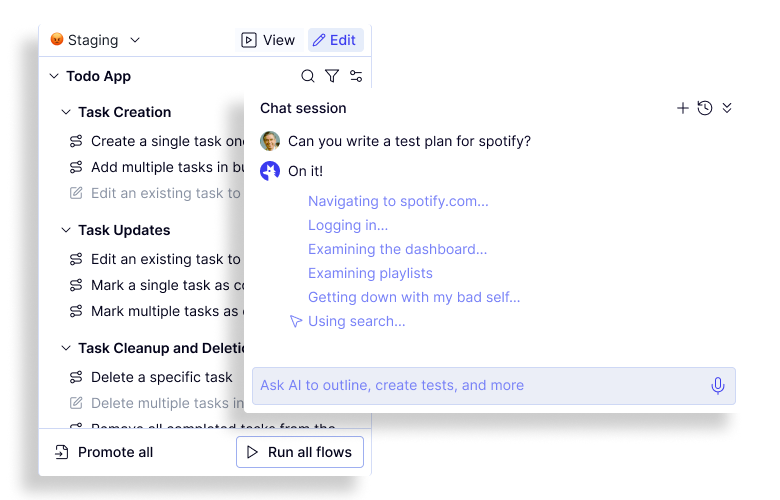
Point the Mapping Agent at your application and let it work. QA Wolf's agent independently navigates your product, identifies features, and generates test cases across every major user workflow. It can switch between user roles and move across platforms — web, iOS, and Android — to surface workflows that stretch across multiple personas and devices.
Mapping agent
200+ test cases generated without human prompting
QA Wolf's AI test case generation is the result of years of R&D focused on one goal:
maximizing test coverage autonomously. The latest version is 4x more effective at identifying critical workflows while cutting total run time in half.
maximizing test coverage autonomously. The latest version is 4x more effective at identifying critical workflows while cutting total run time in half.
Autonomous Exploration Benchmark

Continuously test coverage
The AI-driven test case generation tool that grows with your product
As your team ships new features, the Mapping Agent updates existing test cases where relevant and generates new ones, keeping your test suite in sync with the current state of your application.
Document-driven exploration
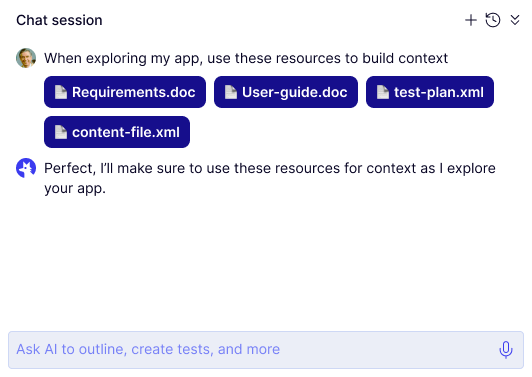
Train our AI test case generation tool on your own documentation
Feed our Mapping Agent test plans, product requirements docs, help center content, or any other internal documentation, and it will use that context to make smarter decisions. Including accounting for business logic, dynamic element behaviors, feature flags, third-party integrations, and external dependencies.